Navigation
Equip Swap
Trick Description
Equip Swap can equip any item over certain slots in the inventory, which is used for duplicating items (notably Zora eggs) and for preserving items that would otherwise be erased because of some glitch involving their item slots. Equip Swap can equip items to any slot reachable with either an up-right or down-right tap from the "Z" menu position or an up-left or down-left tap from the "R" menu position; the most common slots to equip swap to are the ocarina slot (top-left), the moon's tear/title deeds slot (top-right), and the Light Arrow slot (top-right when moon's tear slot is empty).
How To
This example below demonstrates equip swapping a bottle with a Zora egg over the Light Arrow slot and putting it on c-right.
- Put the cursor on the Zora egg slot
- Press R to page turn right
- Press Z to page turn left
- 7 frames later, simultaneously tap c-right (X) and move the control stick to up-left (tap or hold)
- If done correctly, the Zora egg icon will move from the Light Arrow slot to the c-button icon
- If you dump the Zora egg, the bottle will be updated to an empty bottle, and this empty bottle will remain on the Light Arrow slot, deleting the Light Arrow from the inventory
Troubleshooting step 4 above:
- If the cursor stays on the "R" menu position, the control stick input was too early
- If the cursor moves to the Light Arrow slot, the control stick position was either on time or too late
- If the cursor moves to the Light Arrow slot but does not equip, then the c-right press was too early
- If the cursor moves to the Light Arrow slot and equips the Light Arrow, then the c-right press was too late, and the control stick input could have been late as well
When is equip swap possible?
Whether equip swap can be done on any given item slot depends on the slots position and what other slots are used in the inventory:
- you can only equip swap over top or bottom row items
- you can only equip swap over the leftmost or rightmost columns that you have items in (e.g. can't equip swap over bow if you have nuts)
- you can't equip swap over a bottom row item if there's any items above it in the column (even if the cursor goes to this item in one movement - e.g. can't equip swap over bottle 5 if you have great fairy's sword)
- you can't equip swap between screens (e.g. ocarina over deku slot)
- the game updates the item your cursor was on even if you're on a different screen (e.g. you can't put cursor over milk, page turn right, drink milk and then equip swap full milk; it'll be half-milk instead)
- if the slot turns blank though this is an exception since 'blank' isn't equippable (e.g. you can put cursor over trade item, page turn, lose trade item and then equip swap it back; this is item recovery)
- there's another case where just changing a bottled item updates it even if your cursor isn't over it (e.g. drink something on the b button and you can equip swap it if you get it first try)
- the game remembers where your cursor was on one screen even while doing things on another (eg. you can put cursor on bottle 1, page turn left and equip a mask, page turn right and equip swap the bottle 1 item over ocarina)
Item Recovery and Buffered Equip Swap
If you equip an item that can be given to an NPC, such as the priority mail, then toggle to a menu page that you can equip swap from (map or masks page, depending on what item slots are available) before closing the menu and giving the item away, then upon pausing again, it is still possible to toggle back to the items page and equip swap the item that was given, putting the item on a c-button even though it is no longer in the inventory. However, since the items page updates when it comes up again, there is only one chance to equip swap the item; item recovery requires first try equip swap. This also means that item recovery must be done before loading or reloading an area, as doing so automatically toggles back to the items page.
On Wii VC versions, it is possible to buffer equip swap using the Wii's Home menu, accessed with the Home button on a Wii remote. Each Home menu buffer costs 13 seconds and equip swap is typically much quicker than that to fail and retry, so this is only useful for item recovery. To buffer inputs with the Home menu, open the menu, close the menu, begin holding the desired inputs at any point before the N logo fades, and continue holding them until the game resumes. Conveniently, it is also not difficult to advance one frame at a time with Home buffering: To do so, press the Home button on the Wii remote during the last half second or so of the previous buffer when the N logo is fading. On vanilla Majora's Mask, this occurs after the 11th time a blue face of the N faces forward; on kz, it occurs after the 7th time a blue face of the N faces forward.
Unbuffered Item Recovery
- Equip the mail (for example) to a c-button
- Toggle to the masks page
- Close the pause menu
- Put the mail in the mailbox (for example)
- Open the pause menu
- Toggle to the items page and equip swap over the ocarina slot
Buffered Item Recovery
- Equip the mail (for example) to a c-button
- Toggle to the masks page
- Close the pause menu
- Put the mail in the mailbox (for example)
- Open the pause menu
- Toggle to the items page
- Press Home on the Wii remote and note which frame the game froze on (see frame images below)
- Press Home again to close the Home menu (brings up N logo)
- If you buffered before the correct frame, advance frame(s) with more Home buffering as described in the paragraphs above
- Once you buffer on the correct frame, hold a c-button and up-right on the control stick until the game resumes to equip swap over the ocarina slot
Note that because this video was recorded on kz, the N logo rotates for a shorter time than it would on vanilla Majora's Mask, as described in the paragraphs above. The first buffer in this video is 1f early (see buffer frame images below), so this demonstrates advancing 1 frame with a second Home buffer.
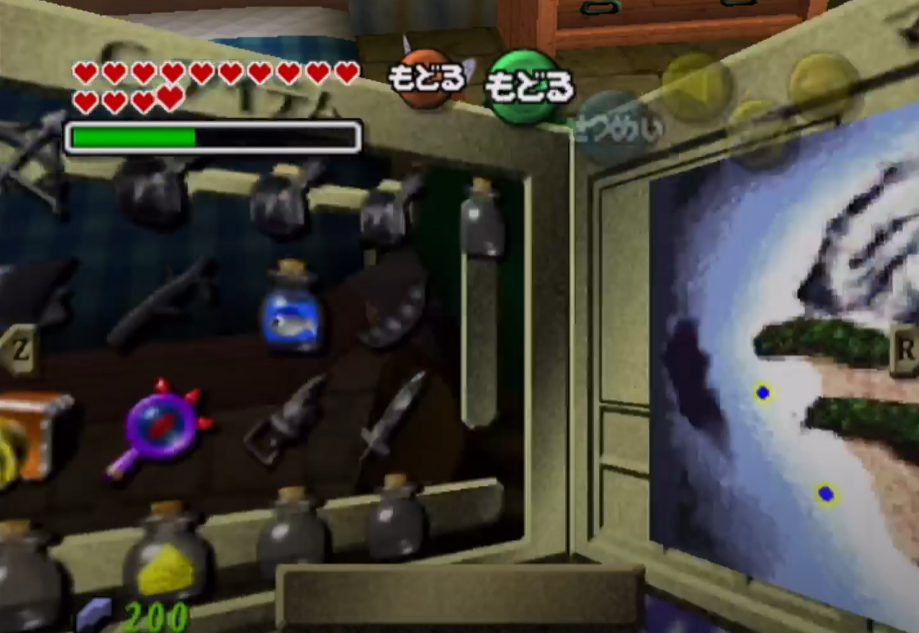
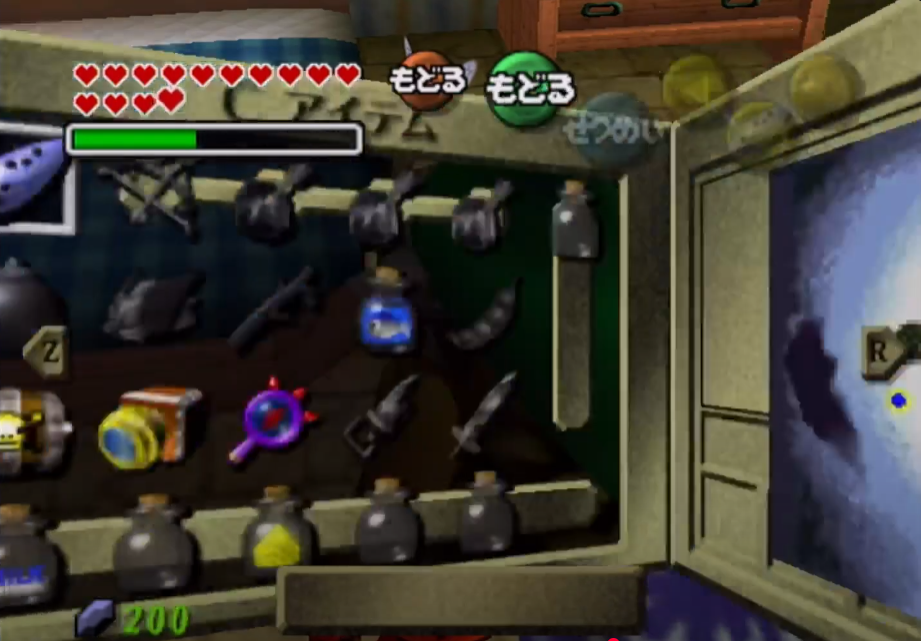
Buffer frames from masks page
| 2f early |
1f early |
correct frame |
| Menu corner between Start and B buttons |
Menu corner between magic meter and Start button, closer to Start |
Menu corner between magic meter and Start button, closer to magic meter |
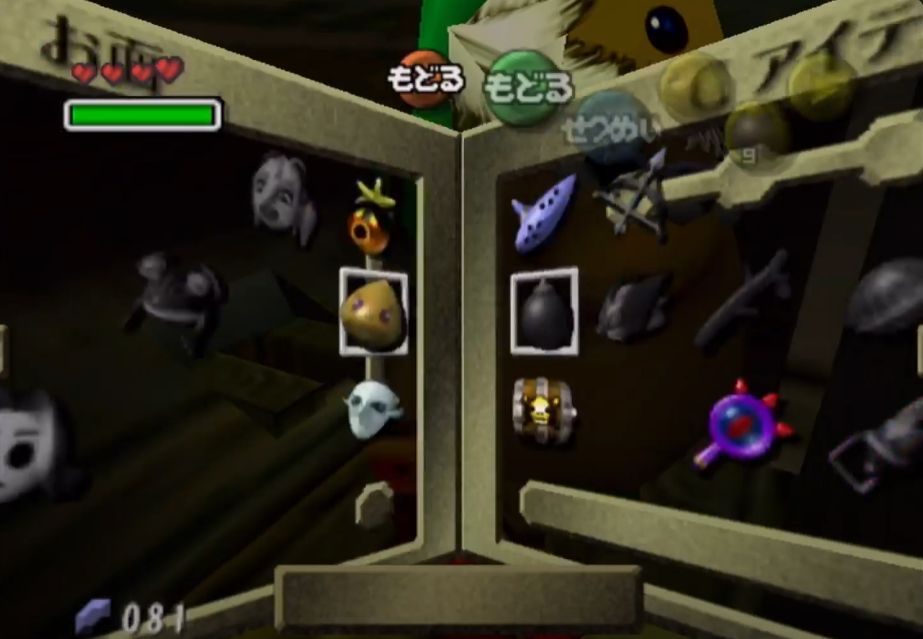 |
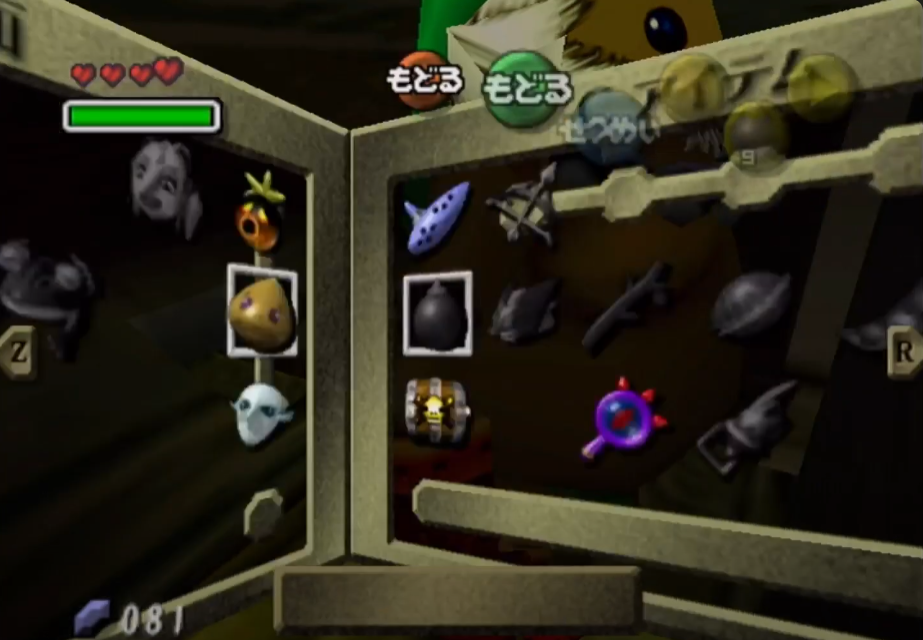 |
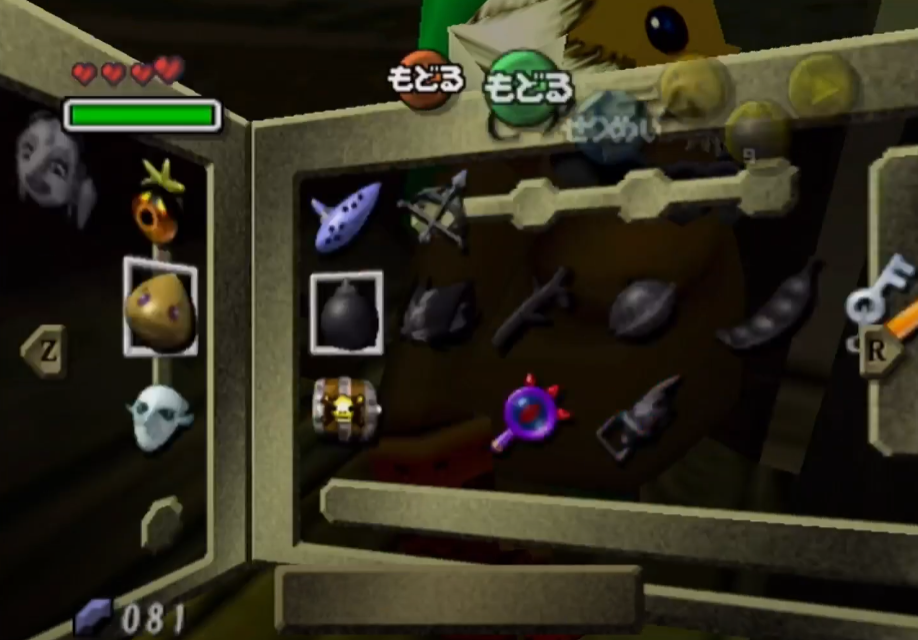 |
Buffer frames from map page
| 2f early |
1f early |
correct frame |
| Menu corner between Start and B buttons |
Menu corner between B and A buttons |
Menu corner between A and C-left buttons |
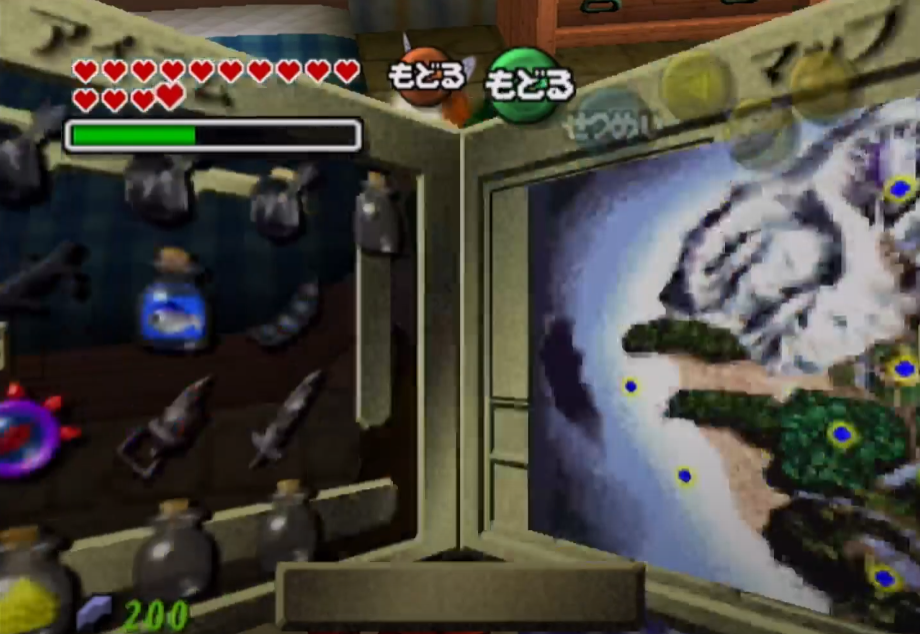 |
 |
 |
Dupe bottle contents using elemental arrows
The video below details a method of reusing bottle contents without duplicating the bottle over another item slot. This can be used to (e.g.) dupe Zora eggs without overwriting ocarina even when ocarina slot is the only slot available to be equip swapped to.
Last updated 09/28/2025
–
bewildebeest

